 Keywise
Reads a Firefox profile's saved logins with no dependencies.
A Zig core reads
key4.db and logins.json, then
decrypts the passwords. That core holds the SQLite parser and the
AES-256-CBC unwrap. It links no libsqlite3 and no NSS. It backs a
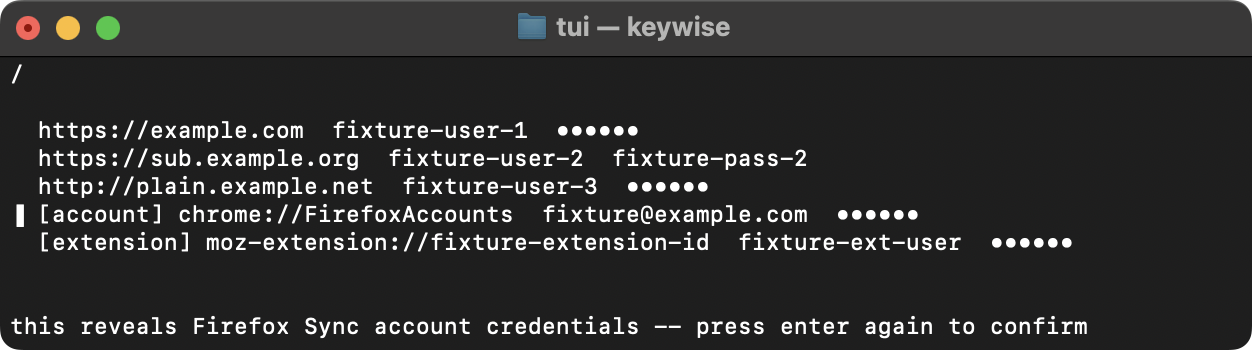
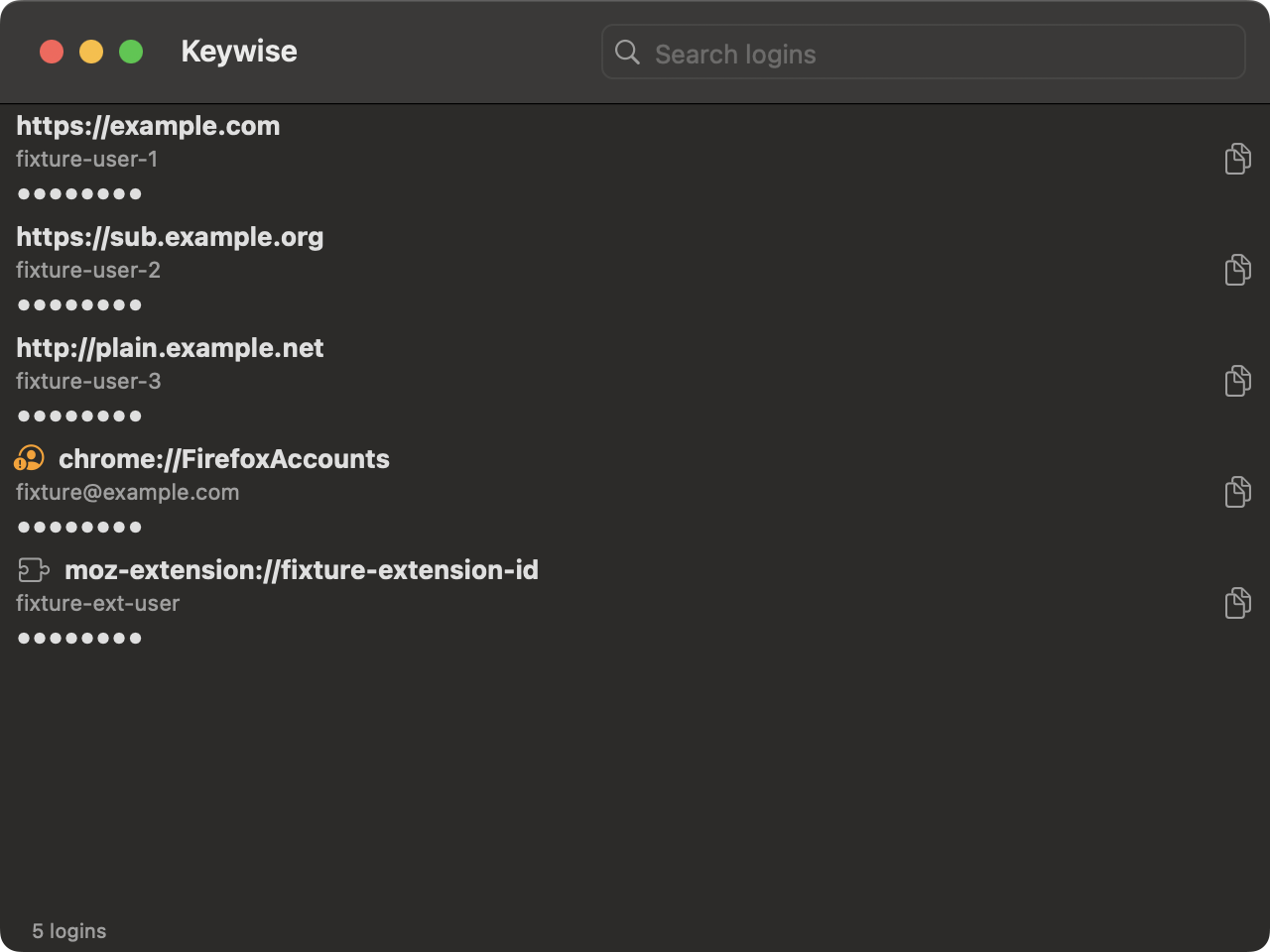
libvaxis terminal UI on macOS and Linux, a SwiftUI app on macOS and a
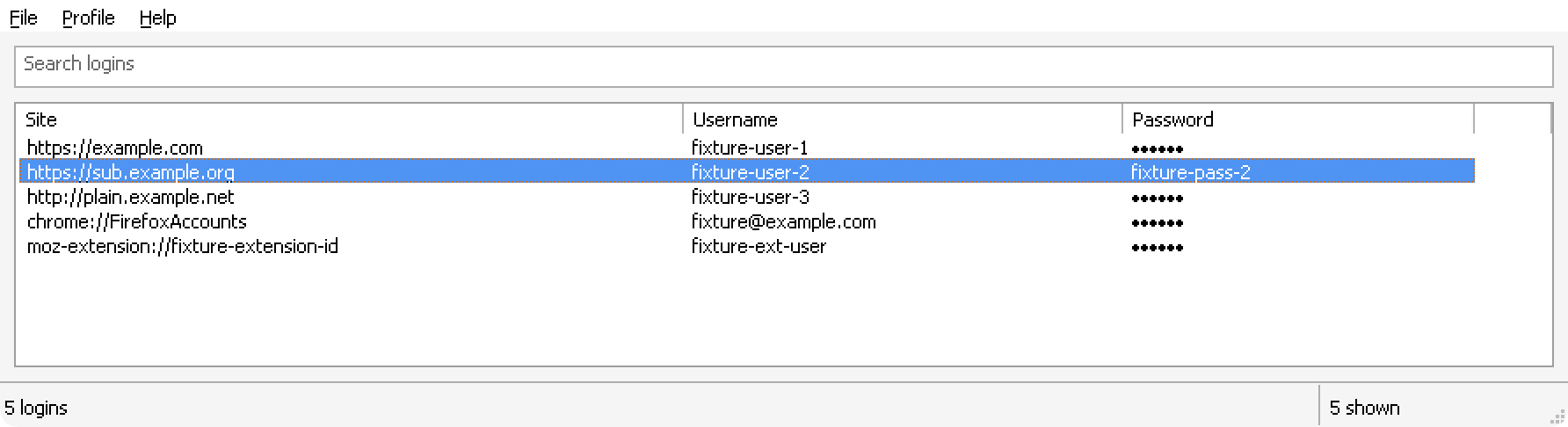
Win32 app on Windows.
What it does
- decrypts passwords itself without requiring Mozilla's NSS crypto library. The unwrap is AES-256-CBC under PBKDF2, done in
pbes2.zigandaescbc.zig. - builds for macOS, Windows and Linux from one codebase. Reads the SQLite file format directly, so the core links no libsqlite3.
- gives each platform its own native interface. A terminal UI on libvaxis, a macOS app in SwiftUI, and a Windows app in Win32. All three read through the same core.
- exports logins to CSV or JSON from the command line.
keywise --export logins.csvprompts for the Primary Password and writes the file with mode 0600. - proves the binary reading your passwords is built from this source. Fully reproducible builds, CI packages the Linux tarballs, the macOS
keywisetarball, and the Windows zips twice from a clean build and diffs them bit for bit. The macOS app zip gets its own check: two separate runners package it, and a mismatch between their hashes stops the release before upload. Details are in docs/REPRODUCIBLE.md. - handles old and new Firefox password formats automatically. Firefox 144 added an AES-256 key beside the older 3DES key. This picks whichever key decrypts to a valid length.
- runs on any Linux distro from a single download. Built statically with musl, so it needs no shared C library installed.
- keeps passwords hidden until you choose to look. In the TUI,
enterreveals the selected row.ycopies it with nothing shown on screen. - keeps a copied password out of your clipboard history. Marks the copy so a clipboard manager skips it. On Windows that covers
Win+Vhistory and the cloud clipboard. - clears the clipboard automatically after use. Clears it 30 seconds after a copy, and only if the password is still on the clipboard.
- double-checks before exposing your account's sync password. Asks a second time before the Firefox Accounts row (
chrome://FirefoxAccounts), since that password is the sync key for the whole account.
Install
macOS #
brew tap lkraider/keywise https://github.com/lkraider/keywise
brew install lkraider/keywise/keywise             # the terminal UI
brew install --cask lkraider/keywise/keywise-app  # the macOS app
The app is ad-hoc signed, so Gatekeeper blocks a first launch. Right-click it in Finder and choose Open. Clearing the quarantine flag works too: xattr -cr /Applications/Keywise.app
Linux #
keywise-x86_64-linux.tar.gz
keywise-aarch64-linux.tar.gz
Download the file for your architecture, then tar -xzf it. The binary is static, so it runs on any distro.
Windows #
scoop bucket add keywise https://github.com/lkraider/keywise
scoop install keywise
Install with Scoop. Or download the zip for your architecture from the latest release and unzip it. The exe is unsigned, so SmartScreen shows a warning on first launch. Choose More info, then Run anyway.